Making

Well-architected

actually usable

Simplified the AWS Well-Architected Tool into a faster, more intuitive, and decision-friendly experience.

Impact Snapshots

↑35%

cognitive load across review steps

↑30%

faster completion of framework reviews

↑Usabilty

across both novice and expert users

↓ Friction

in navigating complex workflows

The goal was straightforward:

Make the AWS Well-Architected review process faster, simpler, and more usable.

The existing tool was technically robust, but the experience didn’t match the complexity it was trying to manage.It required users to navigate dense questions, unclear flows, and heavy documentation — all while trying to make critical architectural decisions.

At the same time, there was a need to:
- Introduce automation wherever possible
- Keep the framework aligned with real business use cases
- Provide a sense of guided expertise during the process
- Modernize the UI without breaking familiarity

Because if the tool feels difficult… it doesn’t get used.

Problems

  • Complex workflows slowed down decision-making
  • High cognitive effort to answer and interpret questions
  • Poor alignment between framework questions and business context
  • Outdated UI with weak visual hierarchy
  • Long, monotonous process with no sense of progress or closure

The system wasn’t lacking capability. It was lacking clarity, structure, and usability.

Process

Research → Deconstruct → Structure → Design Flows → Validate

Research & Discovery

Spoke to 10+ users (22–56 yrs) across:

  • AWS power users
  • Occasional users
  • Business stakeholders
  • Business stakeholders

What came out of it:

  • One experience doesn’t fit all — needed to support both novice and expert users
  • High friction in navigation and technical understanding
  • Process felt long, repetitive, and mentally draining
  • No sense of progress or closure.

Users weren’t stuck because it was complex. They were stuck because it wasn’t clear.

AI in the Process

Used AI to speed up pattern analysis and competitor research.  
Helped move faster — not think less.

Key Design Moves

Simplified structure → broke the framework into logical, digestible chunks
Improved hierarchy → made information easier to scan and act on
Guided flows → turned static questions into step-by-step decisions
Progress visibility → added cues to show where users are and what’s next
Balanced familiarity → improved UI without breaking existing mental models (Jacob’s Law)

Key Flows which were fixed

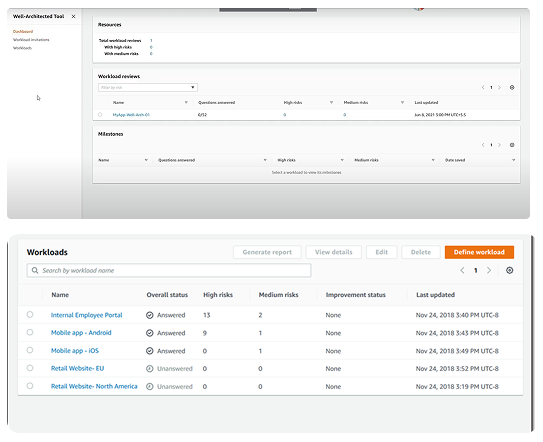
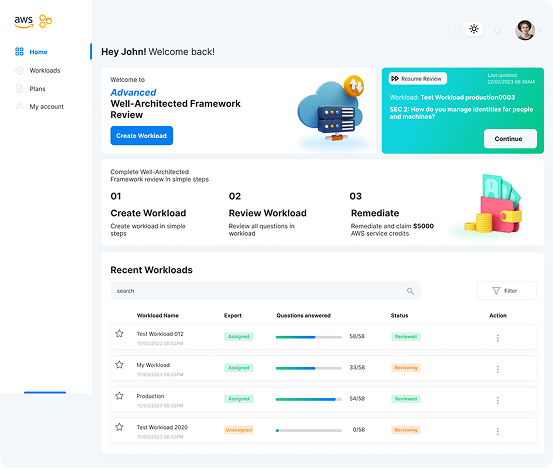
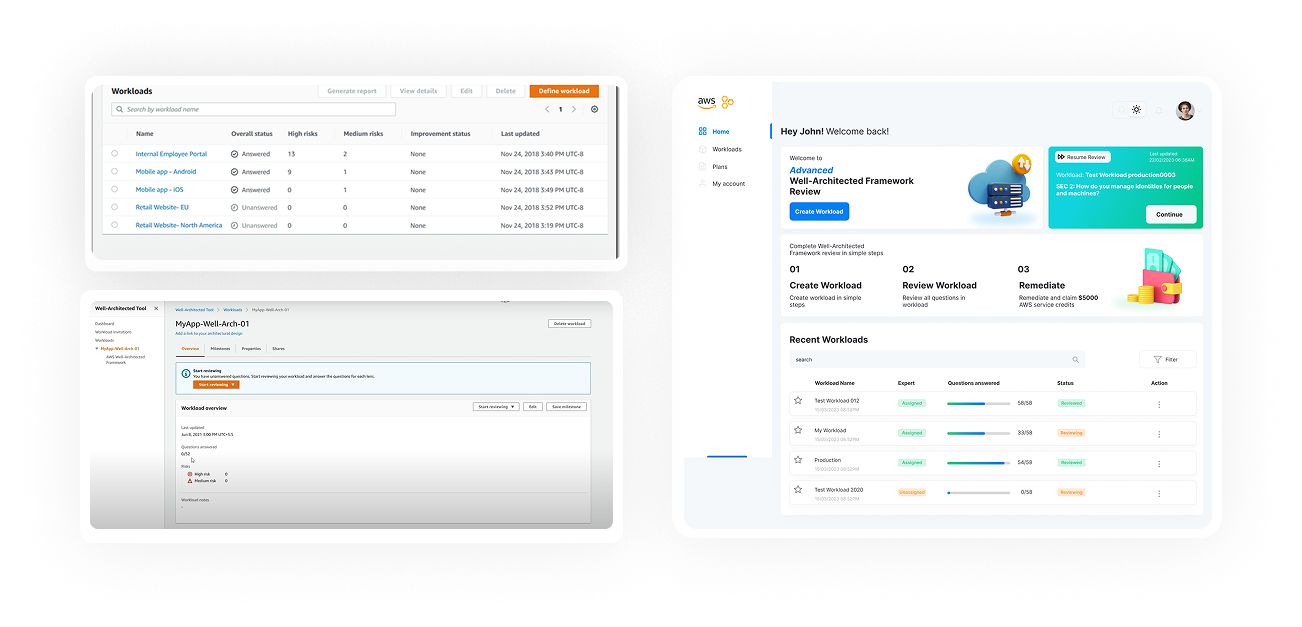
Main Landing page

Before

Clean landing page
Simple steps descriptions in how it works
Workload list with progress visual cues
Resume last review

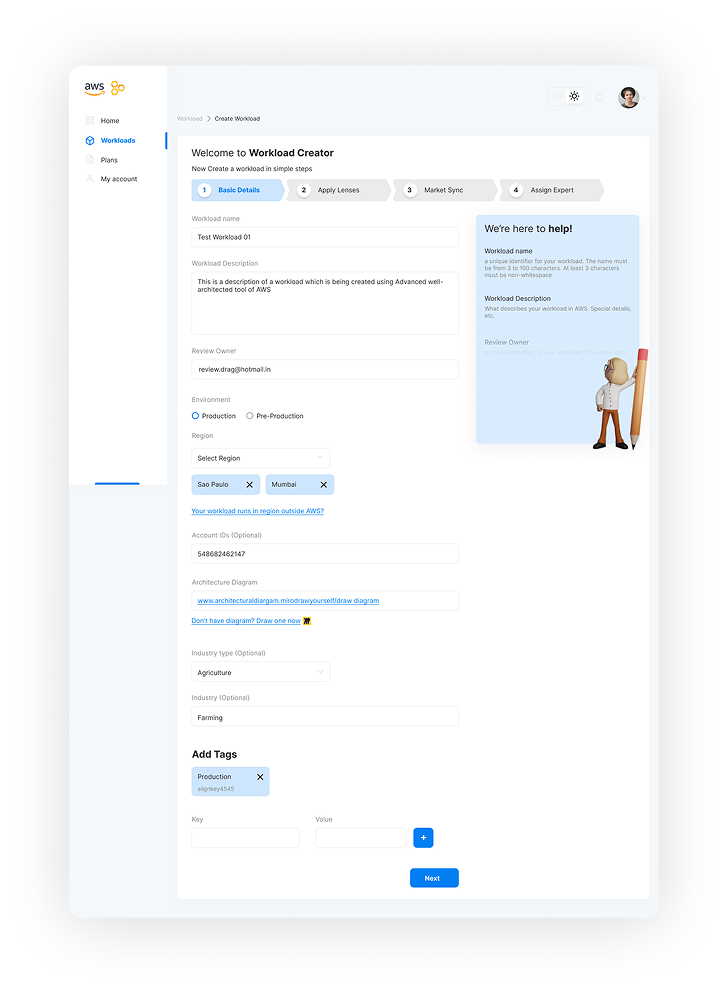
Workload Creation

Before

Clear view of Progress and logical grouping
Addition of AWS Expert
Addition of Market sync
Help box addition to fill the form efficiently

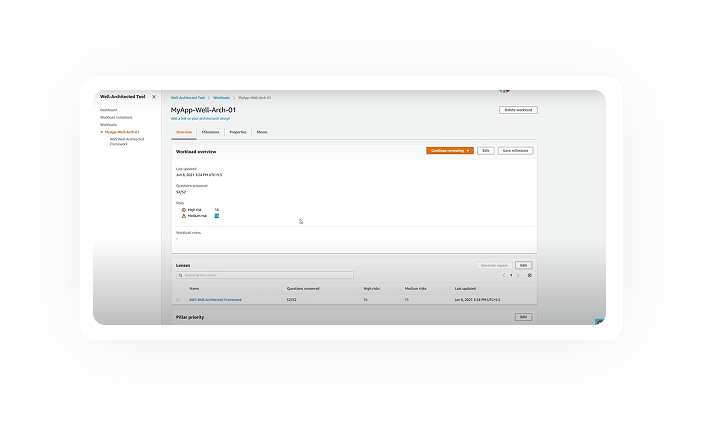
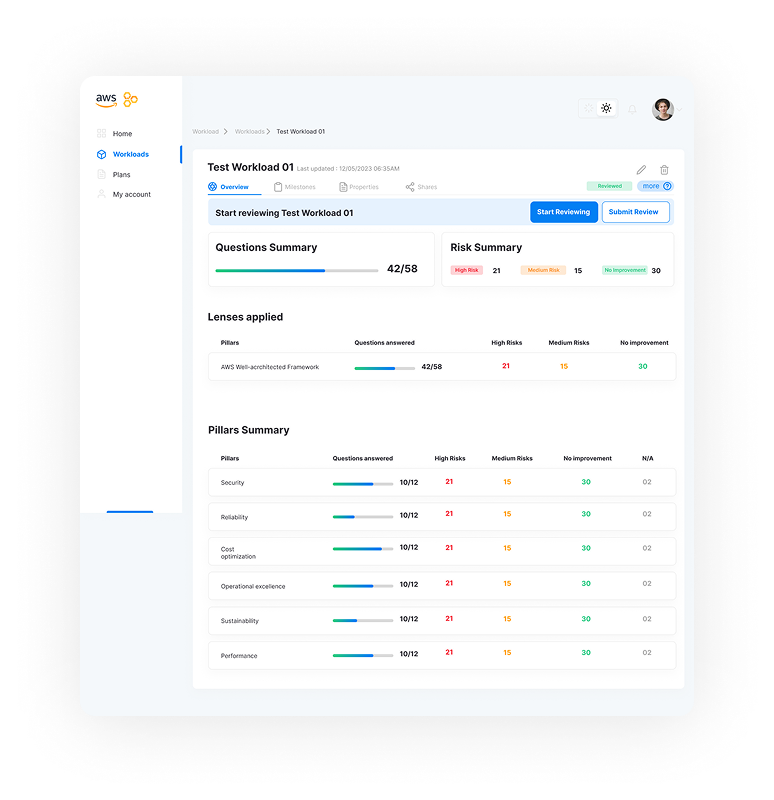
Workload Summary

Before

Improved Visual hierarchy
Progress visual cue
Similar structure to original (Jacob’s law)
Sidebar addition for documenting additional data

Key Flows which were fixed

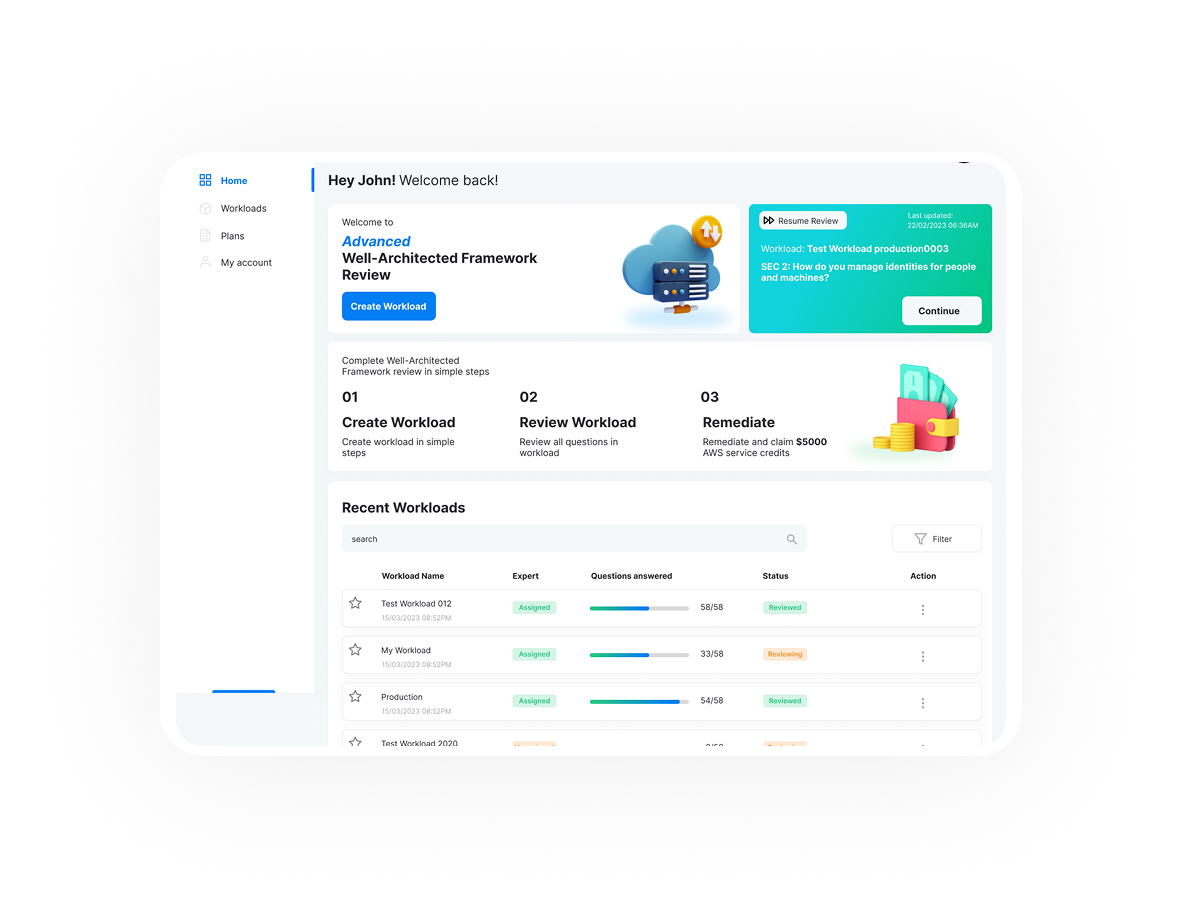
Main Landing page

Before

Clean landing page
Simple steps descriptions in how it works
Workload list with progress visual cues
Resume last review

Workload Creation

Before

Clear view of Progress and logical grouping
Addition of AWS Expert
Addition of Market sync
Help box addition to fill the form efficiently

Workload Summary

Before

Improved Visual hierarchy
Progress visual cue
Similar structure to original (Jacob’s law)
Sidebar addition for documenting additional data

Outcome

  • Reduced effort required to complete framework reviews
  • Faster and more structured decision-making
  • Improved accessibility for non-expert users
  • Better alignment between technical framework and business context
  • Increased engagement through clearer progress and closure

Good frameworks guide decisions. Great ones don’t make you think twice.

View Detailed